
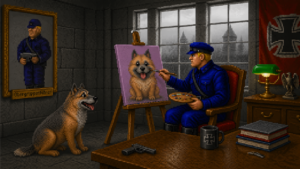
Graphics are probably the most important part of your add-on. If your graphics are weak, the whole project feels weak. Simple as that. The question is how to avoid it.
That is exactly what this section is for. Here you will find practical tips, examples, and techniques to help you improve and create your own Wolfenstein 3D graphics. With the right approach and a decent editor, you can achieve surprisingly strong results even within the game’s limitations.
You can carry out most of the changes described here using solid graphic tools available online. Combined with programs like Adobe Photoshop or Paint Shop Pro, you have everything you need to build high quality textures, sprites, and visual assets.
Do not underestimate what is possible. Even within a 64x64 world, you can create something that stands out.
Tutorials
- Bricks and mortar
- Brick textures
- Floor & Ceiling Textures
- Enemy sprites
- Simple (parallaxed) skies
- Floor/wall textures
- Metallic Textures
- Other Sources
- Palettes
- Radial objects (columns, trees, barrels)
- Read This! screen editing
- Sprite editing in Photoshop
- Title Screen Creation
- Using RecolorBMP
- Using Spritemaker
- Wall textures from real photos
- Wall Decorations
- Writing on the walls
- Wall decorations in Photoshop
- Wall Textures
More sections coming soon!